
Why one corporate social account is costing you customers
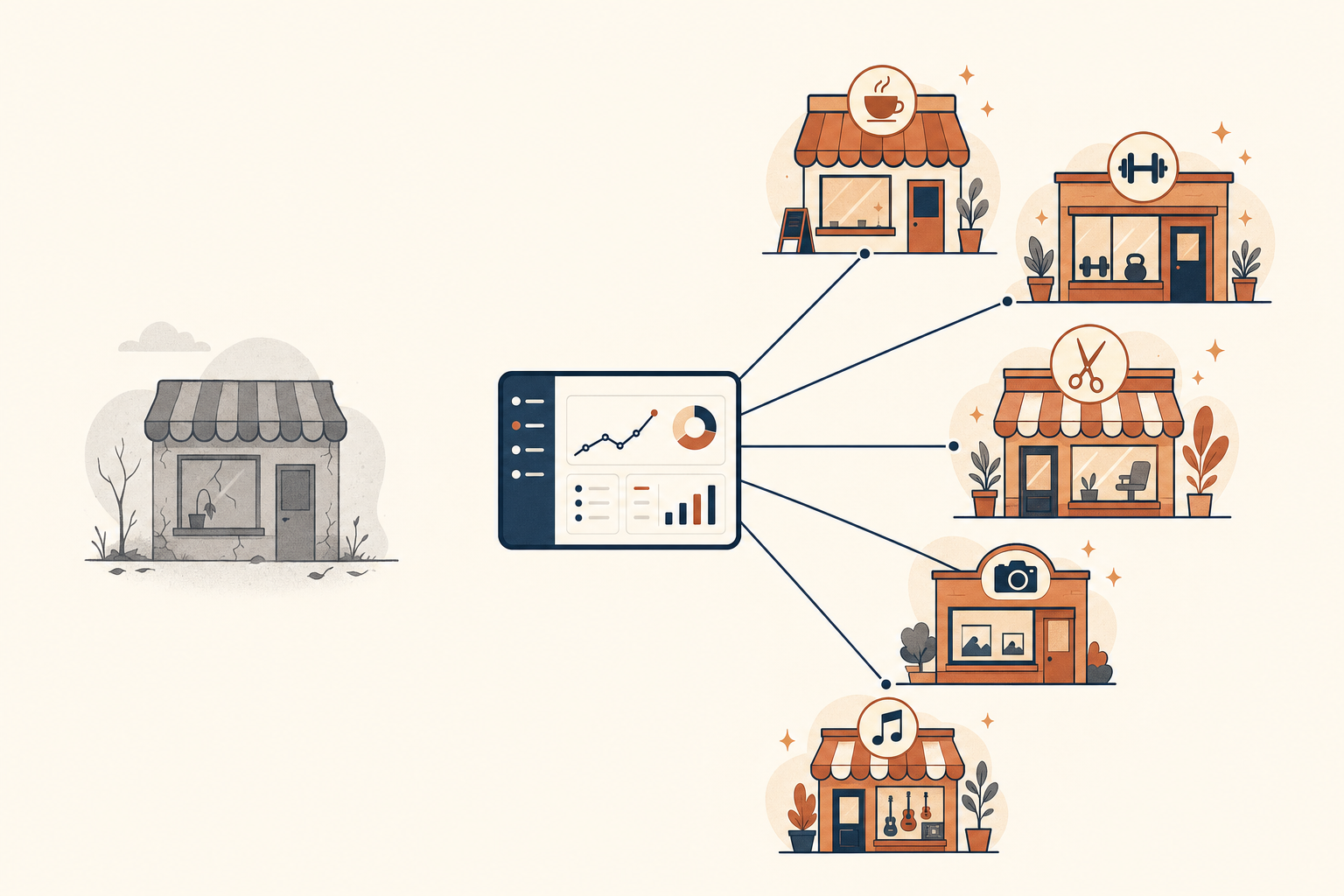
Most businesses start with one social account. Makes sense at the time. One brand, one login, one thing to keep updated. Then the business grows, or it starts serving more than one type of customer, and that single account keeps trying to be everything to everyone.
A coffee shop that also caters posts about lattes on Monday and corporate lunch platters on Tuesday. A software company selling to both marketers and developers writes copy that half-speaks to each and fully speaks to neither. An app builder that works for barbershops, restaurants, gyms and churches runs one feed trying to cover all four at once.
Nobody unfollows a page like this. They just scroll past. That's the quiet failure mode: not rejection, just irrelevance. A generic account doesn't lose followers, it loses attention, and attention is the only thing social media was ever going to give you for free.
The math nobody runs before picking "just one account"
Say a business has 10 distinct customer types. Maybe that's 10 verticals it serves, or 10 personas within one vertical, or 10 locations with different local audiences. And say it wants to show up on 5 channels: Instagram, TikTok, Facebook, LinkedIn, YouTube.
That's 50 separate destinations to plan for, write for, and post to. Nobody does that by hand. So the answer, historically, has been to give up on precision and run one account that speaks broadly to everyone. It's the path of least resistance, and it's also how you end up with a page that has decent follower counts and terrible engagement.
We've watched this play out with our own AppBuild product. AppBuild serves barbershops, restaurants, gyms, tattoo studios, churches, and more. Early on it made sense to run one AppBuild account and post a mix of everything. A gym owner scrolling past a post about church sermon streaming has zero reason to stop. A restaurant owner sees loyalty card content built around barbershop pain points and keeps scrolling. Neither of them is wrong to skip it. It just isn't for them.
How to tell if you're one audience or several
Not every business needs to split. If your customers are one group with one set of concerns, one account is correct and splitting it would just be busywork. The test isn't "do we have different customer segments in a spreadsheet somewhere." It's simpler than that: could you write two posts, right now, that use completely different language, different pain points, and different proof, and have both be true for your business?
A hair salon that only does women's cuts and color probably has one audience. A hair salon that also runs a men's barbering side has two, because the content that makes a barbering client book (fade consistency, walk-in speed, no-nonsense pricing) has almost nothing in common with what makes a color client book (consultation quality, product lines, before-and-after results). Same building, two different reasons to show up.
If you can list 3 or more groups like that, each with its own language and its own reasons to care, you don't have one audience being managed as one. You have several being managed as one, which is worse than either option done properly.
What changes when you split it up
Split that one account into niche-specific ones (AppBuild for barbershops, AppBuild for restaurants, AppBuild for gyms) and something obvious happens: every post is written for someone specific. A barbershop owner sees content about deposit-on-booking and artist portfolio galleries. A restaurant owner sees table booking flows and menu photo conversion. Both feel like the account was built for them, because it was.
That's the whole shift. Not more content. Not a bigger team. The same amount of output, aimed correctly instead of aimed at everyone.
Specificity is what makes people stop scrolling. A post that says "grow your business with our app" gets ignored by everyone. A post that says "here's how a 40-seat restaurant filled its Tuesday dead hours with a loyalty push" gets stopped on by restaurant owners specifically, because it sounds like it was written by someone who's run a restaurant.
Why this used to be impossible and now isn't
The obvious objection: running 10 or 20 or 50 niche accounts sounds like a full-time job for a team of five. It used to be. Writing, designing, and scheduling content for that many destinations by hand was never going to pencil out for a small business, so most people rightly avoided it.
What's changed is that AI made content production cheap enough that niche-specific content per audience is now realistic in a way it wasn't 3 years ago. You can write a script, a caption, and a set of platform-specific variants for a niche in the time it used to take to draft one generic post. The production cost problem is mostly solved.
What wasn't solved, until recently, was the operations problem. Even with content production made cheap, someone still has to decide which content goes to which accounts, keep 50 destinations from colliding on the calendar, and make sure adding an 11th account to a group doesn't mean manually re-adding it to every future post. That's the layer that turns "we could theoretically run niche accounts" into "we do it."
The tag is the mechanism, not the workspace
This is where most tools stop short. A lot of social schedulers let you group accounts into folders or client workspaces. That's fine for filing, but it's static. You group barbershop accounts into a "Barbershop" folder once, and if you add a new barbershop location next quarter, you have to remember to add it to every automation, every reuse rule, every recurring post series that folder feeds.
A tag works differently. Tag your barbershop accounts "barbershop," tag a piece of content "barbershop," and the destinations are whatever's currently tagged that way. Add an 11th barbershop account next month and tag it the same way, and it's automatically included in every future post, every automation, every reuse cycle targeting that tag. Nobody has to remember to update anything, because there's nothing to update. The routing recomputes itself.
That's the difference between a filing system and an operating system. A folder tells you where something is. A tag tells the software what to do with it, every time, going forward.
What this looks like for a portfolio, not just one business
The same math applies at the portfolio level, not just within one product. If you're running several distinct businesses or product lines, the temptation is always to consolidate: one company Instagram, one company LinkedIn, cover everything under one banner because managing separate accounts for each felt like too much overhead.
But "too much overhead" was true when the overhead was real: separate logins, separate calendars, separate everything, with no shared view across them. Once scheduling, tagging, and reporting live in one place, "separate accounts per audience" and "one dashboard to run them from" stop being in tension. You get the precision of niche accounts without the chaos of managing them as 50 unrelated projects.
That's a genuinely different starting point than "should we niche down or not." The old version of that question assumed niching down meant permanent operational pain. Once the tooling handles the routing, the question becomes much simpler: is there an audience segment specific enough to write for directly? If yes, give it its own account, tag it, and let the content plan target it by name.
The reporting problem this creates, and why it matters
There's a second cost to the one-account approach that rarely comes up until someone asks "which of our audiences is actually growing." With one blended account, you can't answer that question. Your analytics show one follower count, one engagement rate, one growth line, and every one of those numbers is an average across audiences that don't behave the same way.
If barbershop-flavored posts are quietly outperforming church-flavored ones by 3x, a blended account will never show you that. It just shows a mediocre average and you have no idea which half is dragging it down. Once accounts and content are tagged by audience, that question has an actual answer: performance broken out by tag, not just by account. You can see that one segment is 3x the other and act on it, instead of guessing.
The same tagging also fixes a smaller but sneaky problem: reconnecting a social account after a token expires or an app gets reauthorized can make follower counts look like they spiked or crashed overnight, when nothing real happened. Growth data that isn't corrected for that will send you chasing a spike or panicking about a drop that's really just a reconnection artifact.
Tag-level reporting has a second use beyond ranking winners: it surfaces gaps. If you're running 6 niche accounts and one of them hasn't posted in 3 weeks, or one segment has never had a piece of content aimed at it at all, that's invisible in a blended view. Broken out by tag, it's a flashing warning that's easy to fix before it turns into a stale, abandoned-looking account.
Starting without boiling the ocean
None of this means launching 10 new accounts on day one. The businesses that get this right start with 2 or 3 of their clearest audience splits, not all of them at once. Pick the two segments where the content diverges the most (like the barbering-vs-color example above), stand up dedicated accounts for those two, and leave everything else under the general account until you've proven the split is worth the content lift.
Take a B2B analytics tool that sells to two very different buyers: marketers who care about campaign attribution, and technical founders who care about churn signals and API access. One account trying to serve both ends up half-technical and half-marketing, satisfying neither reader fully. Split it into a marketer-facing account and a founder-facing one, and each can go deep on the language its reader uses, without diluting the other.
The point of tagging accounts and content instead of manually managing folders is that this expansion is cheap later. When you're ready to add a third or fourth niche account, it's not a rebuild. You tag the new account, tag content for it, and it slots into whatever scheduling and reuse rules you already have running for that tag. The 11th account added next quarter inherits everything the first 10 already had, automatically.
What this doesn't mean
Splitting by audience isn't the same as fragmenting your brand into a dozen accounts with nothing in common. The businesses that do this well keep a consistent core (the same visual identity, the same underlying promise, the same quality bar) and vary the surface: the language, the examples, the pain points, the proof. A barbershop client sees a different opening line than a color client, but both would recognize the salon if you showed them both posts side by side.
It's also not a reason to abandon a strong flagship account if you have one. Some businesses are genuinely served by a single strong identity and a handful of niche satellites around it, rather than dissolving the main account entirely. The decision isn't "one account or many," it's "which segments deserve their own voice, and which are fine sharing one."
The account that talks to someone specific
None of this is about posting more often. It's about who the post is for. A generic account can post daily and still get ignored, because nothing in it is written for a specific reader. A niche account can post less often and still convert better, because everyone who sees it recognizes themselves in it immediately.
If your current social presence is one account trying to speak for a business that serves several distinct kinds of customers, that account is underperforming because it was never built to speak to any one of them clearly, not because of a lack of effort. Splitting it isn't more work than you're doing now. It's the same work, aimed somewhere, and the accounts that eventually feel worth following are always the ones that sound like they know exactly who's reading.