
How agencies can manage one client's 15 franchise locations without 15 separate setups
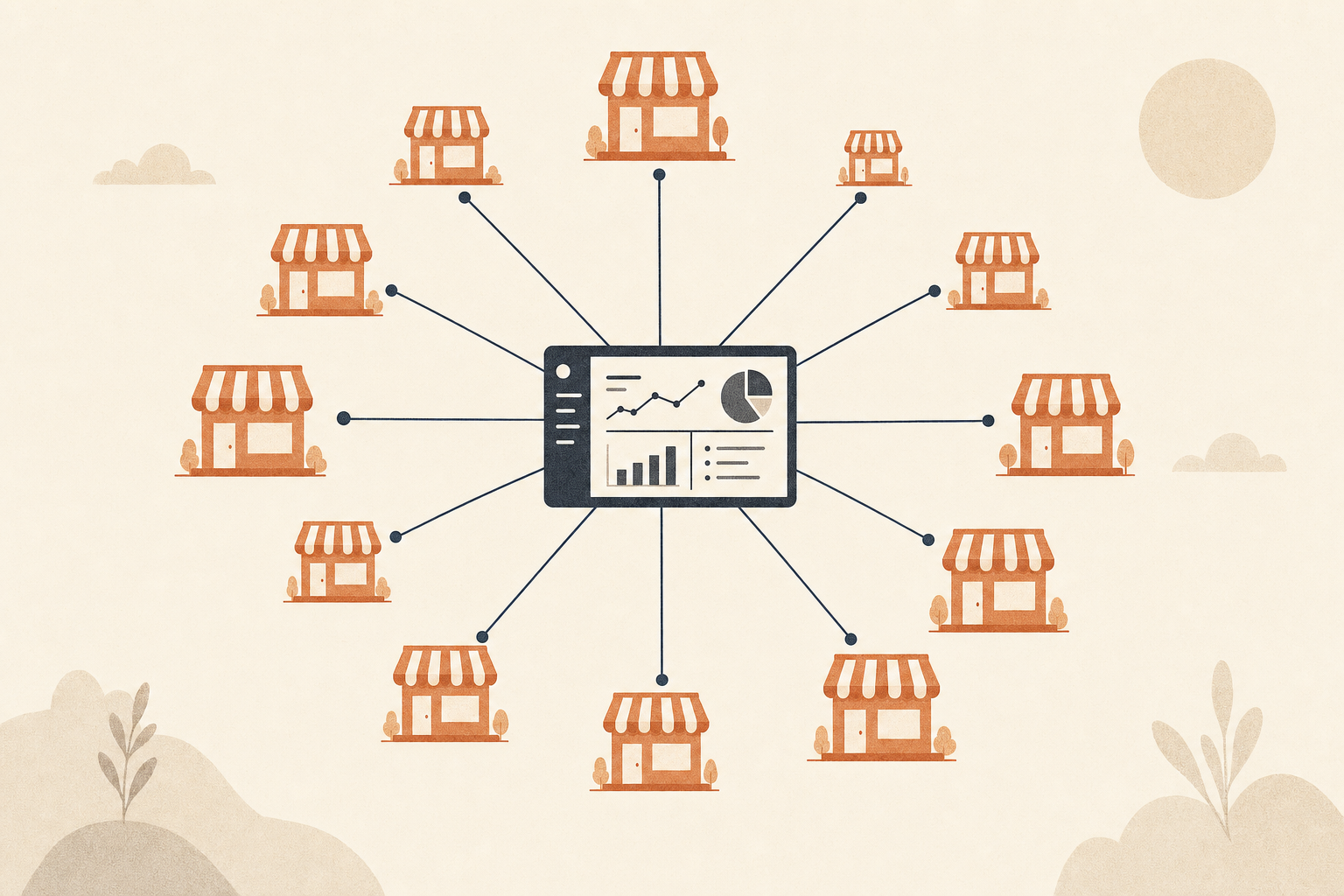
Take a franchise client with 15 locations. Each location has its own Instagram, its own Facebook Page, and its own local audience that cares about local things: this week's opening hours, a location-specific promotion, a photo from that store's grand reopening. Corporate wants a consistent brand voice across all 15. Each store manager wants their own account to reflect their store.
For the agency running this account, that's not one client. It's 15 clients wearing one client's invoice. And most of the tools built for agencies were never designed for that shape of problem.
Why "one client, one workspace" breaks here
Most agency-tier social tools organize around a flat list of clients: Client A, Client B, Client C, each with its own workspace or folder holding that client's connected accounts. That works fine when a client is one brand with one or two accounts. It stops working the moment a client is one brand with 15 locations, because now there's a second layer of structure inside a single client that a flat client list was never built to hold.
The usual workaround is to treat each location as its own separate client in the tool, which technically works but multiplies the admin overhead by 15. Fifteen sets of billing line items for one contract. Fifteen separate places to check for scheduling conflicts. Fifteen logins to hand off if the account manager changes. None of that reflects the actual relationship, which is one client, one contract, one strategy, with 15 execution points underneath it.
To be fair, this isn't a completely unsolved problem
A handful of tools have built real answers to this. Sendible has a dedicated franchise workspace structure that groups locations by region or owner with rolled-up reporting. Vista Social markets a "every location, one brand, total control" hierarchy for exactly this case. Sked Social consolidates per-location accounts into one workspace with rollup reporting too. If you're evaluating tools for a franchise client specifically, these are worth a look, and it would be dishonest to pretend nobody else has thought about this.
What all three of those have in common, though, is that the hierarchy is a rigid parent-container: a workspace represents the brand, and it contains a fixed set of locations underneath it. That's a real improvement over a flat client list, but it's still built around the idea that "franchise client" is a special, separate mode from regular single-client management, with its own dedicated setup.
The difference between a container and a routing rule
Here's the distinction that matters in practice, not just in theory: what happens when location 16 opens next quarter?
With a rigid parent-container model, someone has to go into that franchise workspace and manually add the new location, reconnect its accounts, and re-check that it's included in whatever recurring content or reporting rollups already exist for that client. It's not hard, but it's a task. Someone has to remember to do it, and if they don't, location 16 misses out on whatever automated content the other 15 have been getting, and nobody notices until the store manager asks why they're the only one who hasn't had a post in 3 weeks.
A tag works differently: it's a live relationship between accounts and content, recalculated every time something runs, not a container at all. Tag all 15 (soon to be 16) locations under this client's tag, tag the client's recurring content the same way, and destinations are whatever's currently tagged that way, recomputed fresh each time. Add location 16, tag it, and it's automatically pulled into every future post, every automation, every reuse cycle targeting that tag. Nobody has to remember to add it anywhere, because there's nothing to add it to. It just resolves correctly the next time anything runs against that tag.
That's the real gap between what's out there and what a tag-based system does: not "does multi-location support exist" (for a few tools, it does), but "does adding a new location require a setup step, or does it just work because the routing recomputes itself."
The part that actually saves an agency time: it's the same mechanism as everything else
Here's the part that matters most for an agency specifically, more than the franchise case on its own. In most tools, "manage a multi-location client" is a separate mode from "manage a normal single-account client." You learn one workflow for regular clients and a different, more complex one for the franchise accounts, because franchise support was bolted onto the product as a dedicated feature rather than built from the same primitive as everything else.
With tag-based routing, there's no separate mode. Managing one client with 15 tagged locations and managing 15 completely unrelated clients use the exact same mechanism: tag the accounts, tag the content, let destinations resolve from current tag membership. An account manager who already knows how to run a single client's account already knows how to run a franchise client's 15, because it's not a different skill. It's the same skill applied to more tags.
That matters because agency teams turn over. A junior account manager who's learned one workflow (tag accounts, tag content, trust the routing) can be handed a straightforward single-location client on Monday and a 15-location franchise client on Tuesday without retraining, because nothing about the underlying process changed. The complexity that used to live in "remember the special franchise workflow" gets absorbed into the tagging system instead of into any one person's head.
What this looks like structurally
The practical hierarchy is three layers. A workspace is the client: one franchise brand, one contract. Tags live inside that workspace and represent whatever subdivision actually matters, which for a franchise client usually means each location, or a region grouping several locations together. Accounts are the individual platform connections (each location's Instagram, Facebook Page, and so on), tagged with whichever tags apply to them.
A piece of corporate brand content tagged with the client's top-level tag reaches all 15 locations. A regional promotion tagged with just that region's tag reaches only the stores in it. A single store's grand-reopening post, tagged only to that one account, stays local. All three of those are the same mechanism at different scopes, not three different features to learn.
Reporting that rolls up without flattening the detail
Corporate wants one number for the whole franchise: how did the brand do across all 15 stores this month. The regional manager wants a narrower view: how did the 4 stores in their patch do, specifically. And a single store owner just wants to know how their store's account is doing, without wading through 14 other locations' numbers to find it.
A flat client list forces a choice between these views. Either you're looking at one account's numbers at a time, or you're looking at a manual sum of 15 exports someone built in a spreadsheet, and that spreadsheet is out of date by the time the next reporting cycle comes around. Tag-based analytics avoids the choice: a tag doubles as a reporting boundary as well as a routing rule. Pull performance by the client's top-level tag for the corporate rollup. Pull it by a regional tag for the regional view. Pull it by a single account for the store owner's own number. Same underlying data, three different slices, none of them requiring a rebuild.
This also catches something a flat structure hides: which locations are underperforming. Averaged across 15 stores, 3 quiet accounts can disappear into a decent-looking overall number. Broken out by tag, or down to the individual account, those 3 are visible immediately, and it's obvious which stores need attention instead of a guess based on whichever one the account manager happened to check most recently.
Comments, DMs, and boosting don't stay corporate-only either
A franchise client's engagement doesn't stay at the corporate level any more than its content does. A comment on a single store's post is almost always about that store specifically: a question about opening hours, a complaint about a specific visit, a compliment for a specific staff member. Routing every location's comments and DMs into one unified inbox means the agency team handling this client sees all of it in one place, tagged by which store it came from, instead of needing to check 15 separate platform inboxes to catch a single unhappy customer's comment before it sits unanswered for a week.
Paid boosting works the same way. A regional promotion only makes sense boosted to that region's local audience, not the whole franchise's combined audience, and a location's own tag can carry its own saved audience so a boost inherits the right targeting automatically instead of someone rebuilding an audience from scratch every time a different store wants to put budget behind a post.
The billing question this raises
There's a structural reason this hierarchy matters beyond workflow: it changes what "adding a client" costs. A common complaint about agency social tools is per-seat pricing, where adding headcount to serve more clients directly increases the bill, which penalizes exactly the growth an agency wants to have. The workspace layer sidesteps a version of that problem too: workspaces (clients) aren't the billed unit, and creating a new client workspace doesn't carry its own cost. What's metered is the tag-group layer inside a workspace, meaning a franchise client with 15 locations grouped under a handful of regional tags is priced by how the work is actually organized, not by a headcount or a raw connected-account count that has nothing to do with the account manager doing the work.
That's a genuinely different framing for an agency evaluating cost: instead of asking "what does it cost per seat" or "what does it cost per connected account," the question becomes "what does it cost per audience we're actually running," which lines up with how agencies already think about client scope.
Keeping 15 calendars from colliding with each other
Fifteen locations posting on the same client tag creates a scheduling problem a single-account client never has: what stops all 15 from posting the same corporate announcement at the exact same hour, or a regional promotion from landing on top of a different region's unrelated post the same day? With a shared occupancy map that every posting path checks (manual scheduling, bulk imports, automations, retries alike), per-weekday caps and lookahead scheduling apply across the whole client's footprint, not per location in isolation. A corporate post scheduled for Tuesday won't double up with an automated regional post already queued for the same slot, because both paths are checking the same shared calendar before committing.
That matters more at franchise scale than anywhere else, because the volume of scheduled content across 15 locations is high enough that collisions aren't a rare edge case, they're the default outcome of 15 independent posting streams with nothing coordinating between them.
Handing this off without babysitting it
The deeper reason this matters goes beyond the franchise use case on its own: it's a test of whether an agency can hand day-to-day execution to someone junior without the founder needing to personally check every account. If every skip, downgrade, or unsupported combination is stated plainly instead of failing without a trace, and if scheduling caps are enforced by one shared occupancy map instead of by whoever remembers to check first, then a junior team member running a 15-location client isn't a risk the way it would be in a tool that just trusts everyone to get it right by hand.
That's the actual test for whether a franchise client is manageable at agency scale: not whether the tool has a franchise mode, but whether the person doing the day-to-day work can trust the system to catch what they'd otherwise have to remember on their own.
A 15-location client shouldn't need 15 separate setups, and it shouldn't need a specially trained account manager either. It should need one tag structure, applied once, that keeps working correctly as the client adds a 16th location, a 20th, or however many it grows into next.